Select an Error Code or Type an Error Code to begin searching
Error
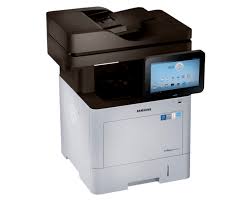
Samsung ProXpress M4580FX Top Searches
These results are ranked by popularity.
Error
U1–2115, U1–2116
Display: Fuser unit Failure: #U1-2115. Turn off then on. Call for service if the problem persists Fuser unit Failure: #U1-2116. Turn off then on. Call for service if the problem persists
H1-1253
Display: Input System Failure #H1-1253 : Pull Tray 2 out and insert it.
H1-1451, H1-1452, H1-1454
Display: Paper is low in Tray 4. Load paper. Paper is empty in tray 4. Load paper.
A4-1110
Display: Lamp Failure: #A4-1110. Open the door, then close it. Call for service if the problem persists
C3–1312
Display: Imaging Unit Failure: #C3-1312. Install imaging unit again.
Samsung ProXpress M4580FX Common Errors
The most common error codes.
Error
U1–2115, U1–2116
Display: Fuser unit Failure: #U1-2115. Turn off then on. Call for service if the problem persists Fuser unit Failure: #U1-2116. Turn off then on. Call for service if the problem persists
H1-1253
Display: Input System Failure #H1-1253 : Pull Tray 2 out and insert it.
H1-1451, H1-1452, H1-1454
Display: Paper is low in Tray 4. Load paper. Paper is empty in tray 4. Load paper.
A4-1110
Display: Lamp Failure: #A4-1110. Open the door, then close it. Call for service if the problem persists
C3–1312
Display: Imaging Unit Failure: #C3-1312. Install imaging unit again.